
Practice cases - Free · AI on Plus
What is the RemoteNurse Case Lab?
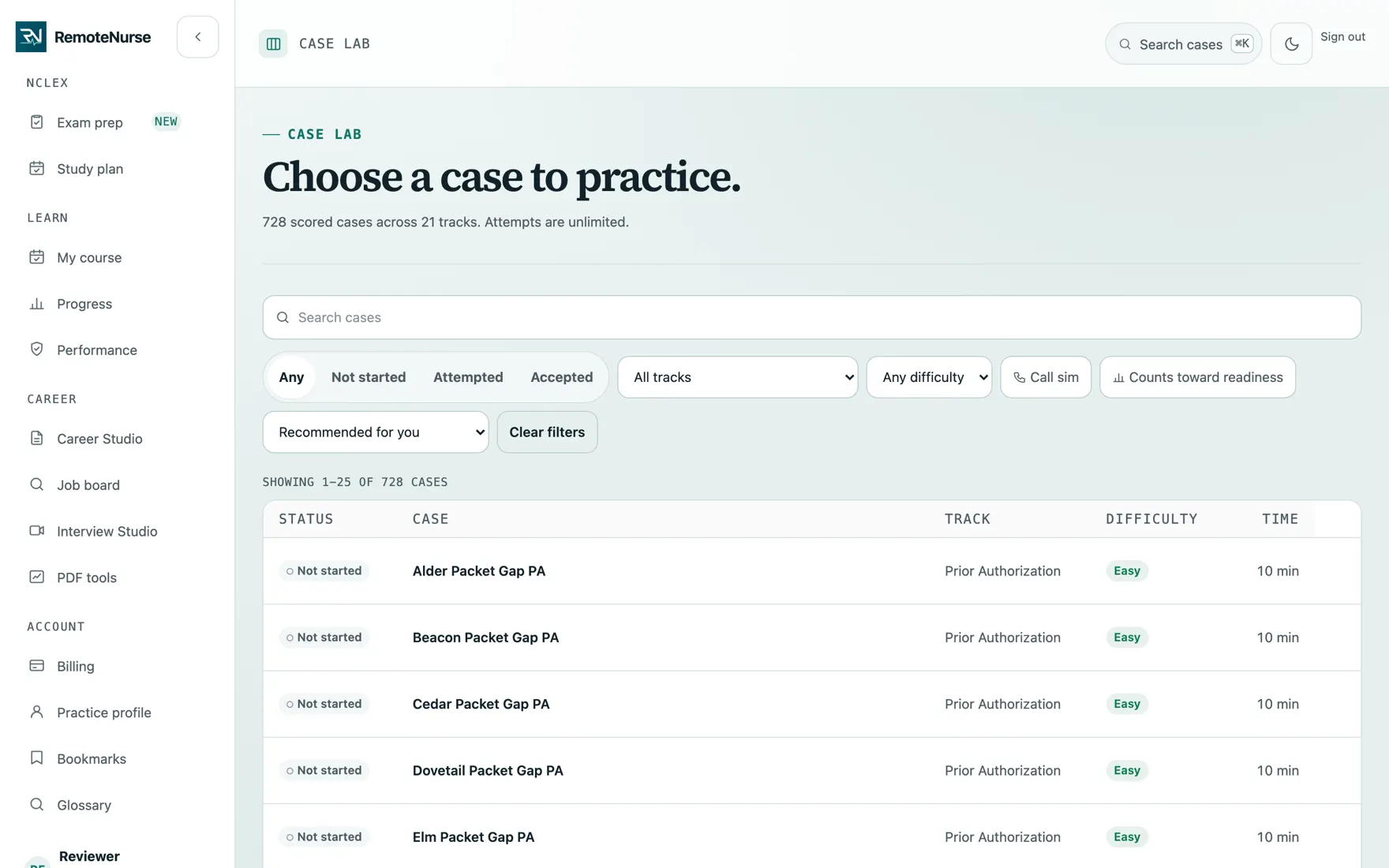
Case Lab is a catalog of 442 fictional patient cases across 21 tracks. You open one, read the documents, work a simulated payer portal, write a case note, and commit the next action a real desk would take. A fixed rulebook then scores the attempt.
What you are looking at
- Filter by track, difficulty, and how long the case takes
- Bookmarks and history keep your record of what you have worked
How you use it
- 01
Pick a case
Filter the catalog by track, difficulty, status, or whether it includes a call simulation. Each row shows the acceptance rate and roughly how long it takes.
- 02
Read the packet
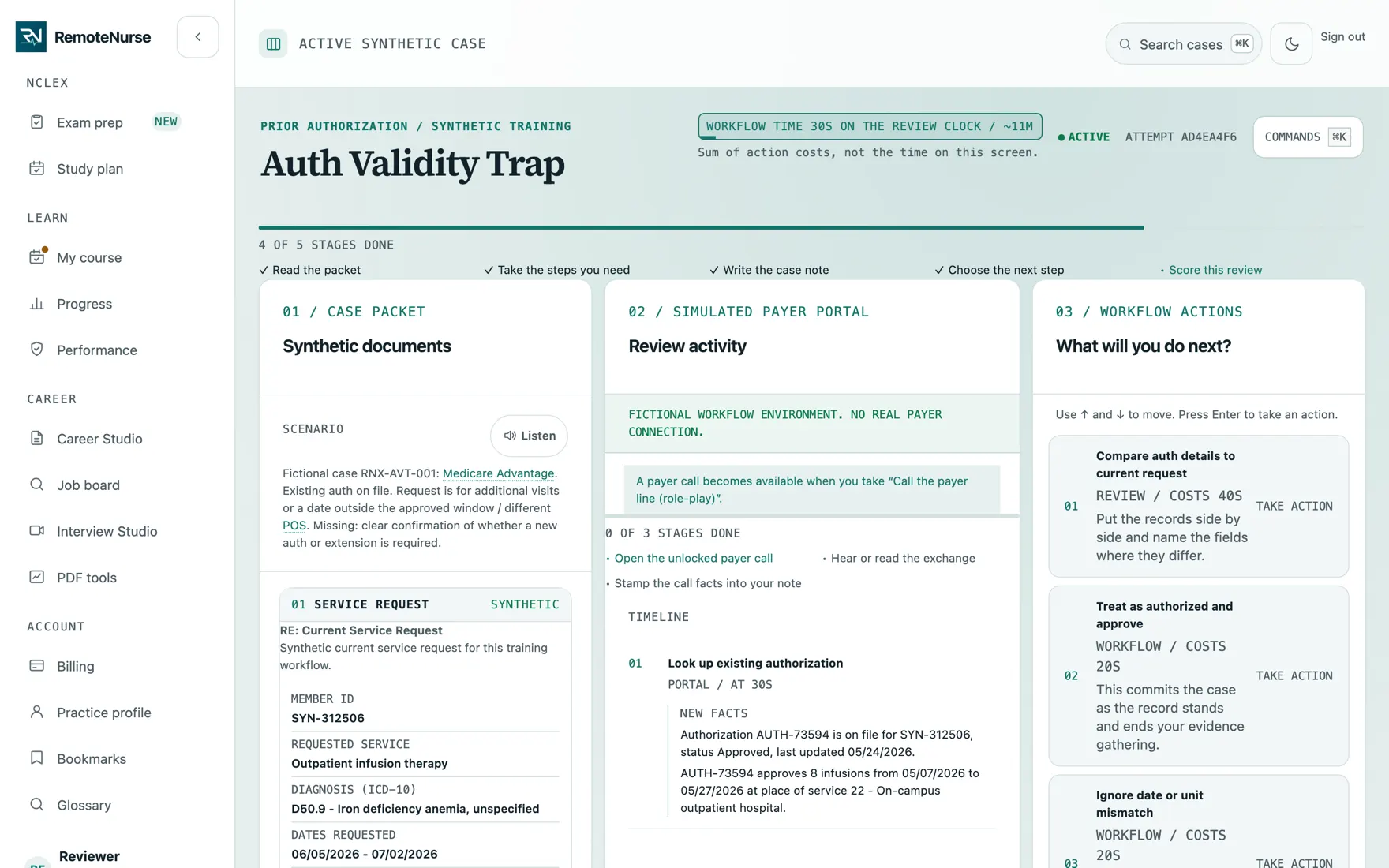
The documents sit on one side and a simulated payer portal on the other, the way the information is actually split on a live desk.
- 03
Gather the evidence
Pull records, run the eligibility check, take the call the case needs. Every action you take is logged to a timeline.
- 04
Write the note
Write the case note the way an employer expects to read it: what you found, what it supports, and what is still missing.
- 05
Commit one next step
Choose the action you would actually take. The case closes on that decision, so there is no hedging.
- 06
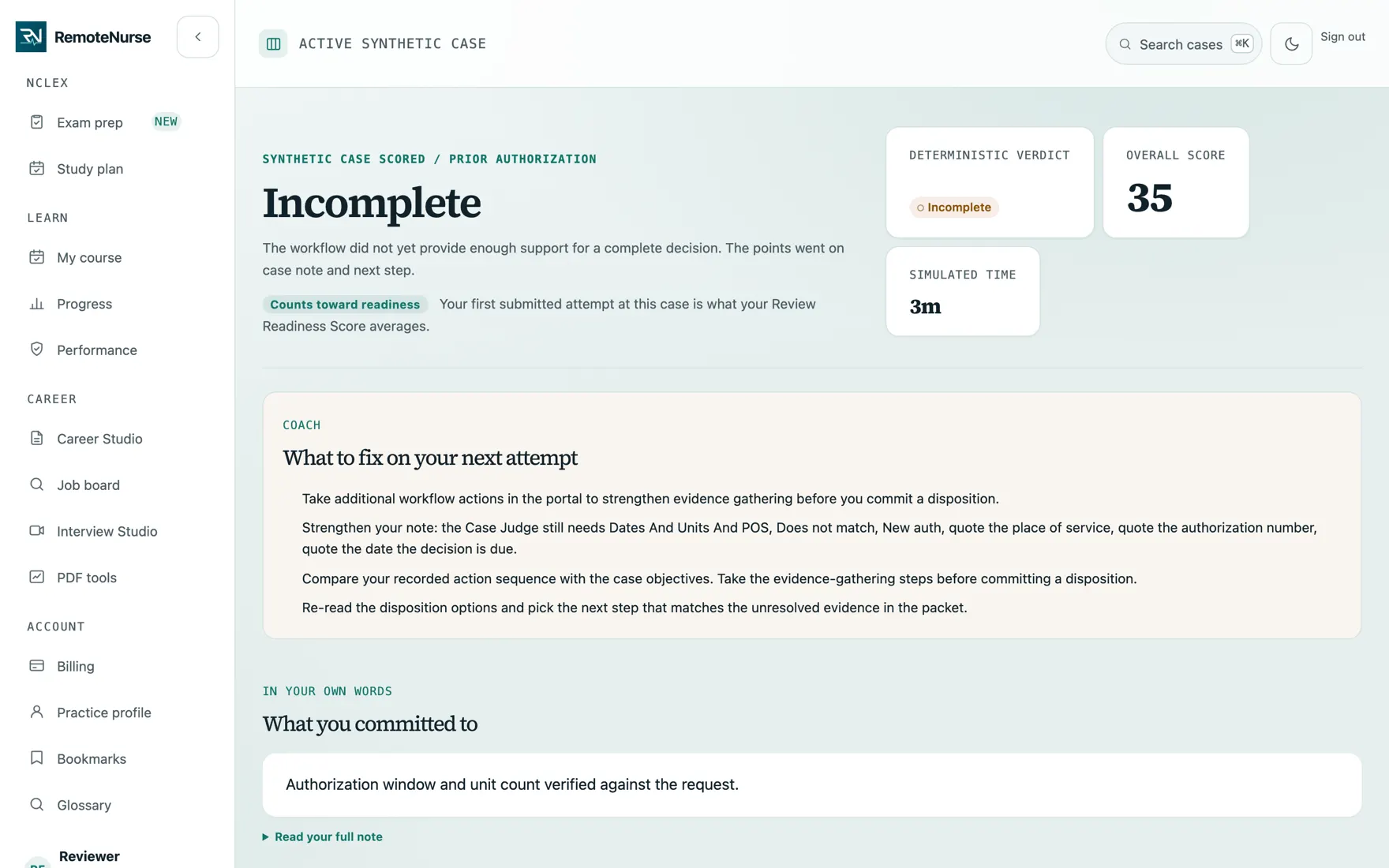
Read the verdict
The Case Judge scores evidence, sequence, note, next step, safety, and time, and shows where the work fell short.
What is included
- 442 scored cases across 21 tracks
- Unlimited attempts, with the first attempt on each case counted for readiness
- Difficulty, estimated time, and acceptance rate on every case
- Call simulations attached to the cases that need one
- Bookmarks, case history, and a searchable catalog
- Study packs that sequence cases into one coherent workflow
Plan: Free · AI on Plus. See pricing for what Free and Plus each include.
Common questions
Are the cases based on real patients?
No. Cases are built on open-source fictional patient data. The people in them are generated, not real, and RemoteNurse holds no protected health information.
How many cases do I get for free?
Every released case is free and scored by the Case Judge. Plus adds personalized AI explanations after the verdict.
Can I retry a case?
Yes, attempts are unlimited. Only your first submitted attempt on each case counts toward your readiness score, so retries help you learn without inflating it.
See the rest
Learn
A library of 440 short lessons covering the rules a medical VA is paid to apply, scheduled so you meet each one again just before you would forget it.
See how it works Phone practiceCall Desk
Much of this job happens on a call with an insurer. Call Desk plays a scripted line with a made-up payer so you can rehearse asking the right questions.
See how it works Audio briefingsStudy Studio
Study Studio builds an audio briefing out of the track you are working on, so a commute or a walk counts as study time.
See how it worksReady to try it?
Create a free login and start with one safe case. No card needed.
Start free